7 Tips for Choosing Leather Office Chairs
Choosing Leather Office Chairs is not merely a style decision. It affects posture, comfort, maintenance, and the visual character of a workplace.
Grand View Research estimated the global office furniture market at approximately USD 54 billion in 2023. That scale reflects a serious business need, not a passing design trend. Office workers may spend six, eight, or more hours seated daily. A chair with firm lumbar support, adjustable height, and balanced cushioning can reduce pressure during long working sessions. OSHA’s Computer Workstations eTool also emphasizes neutral posture, supported feet, and properly positioned armrests. These details matter. Small adjustments can change how a chair feels by late afternoon.
Leather adds another layer of judgment. Full-grain leather can develop a richer surface over time, while bonded leather may show wear sooner. Heat retention, surface texture, stitching, and cleaning requirements deserve attention. ANSI/BIFMA performance standards provide useful benchmarks for durability and stability, but certification alone cannot guarantee personal comfort. No chair is perfect. That assumption deserves scrutiny. A beautiful chair may still feel rigid after two hours, especially in a warm office. The following seven tips examine material quality, ergonomic features, construction, sizing, maintenance, and long-term value. They are designed to support practical decisions, not simply encourage a higher price. A careful buyer should test the chair, read technical specifications, and consider the real working environment before choosing.
Understanding Leather Types and Material Quality
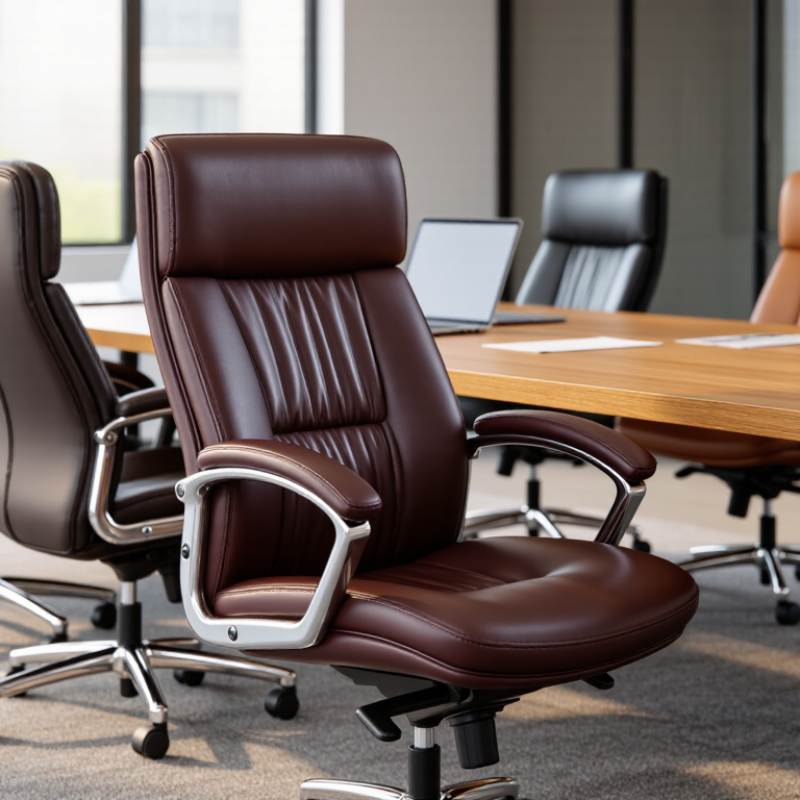
Choosing a leather office chair starts with identifying the leather, not admiring its shine. Full-grain leather keeps the hide’s natural surface, so small wrinkles, pores, and color variation are expected. Top-grain leather is sanded lightly for a more uniform appearance. Split leather feels thinner and may rely on a heavy coating. Bonded leather contains leather fibers mixed with synthetic binders. It can look convincing initially, but surface peeling may appear at heavily used edges.
FAOSTAT records more than 350 million tonnes of global meat production annually in recent years. Most upholstery leather comes from hides associated with food production, making traceability worth checking. Ask how the hide was processed and whether the seller provides material specifications. Ask for proof. Terms like “premium” mean little without percentages, thickness, and coating details. A chair with a strong chemical smell deserves caution, even when its stitching looks neat.
Material quality also depends on what lies beneath the cover. Look closely. Dense foam should recover after pressing, while loose padding may flatten beneath your thighs. ANSI/BIFMA X5.1 seating requirements include tests for stability, durability, and load performance; compliance evidence is more useful than vague comfort claims. Check the certificate or test report, not only a printed logo. In practice, darker corrected leather can hide marks better, but it may feel less natural. That trade-off is easy to overlook. A careful buyer should sit for ten minutes, inspect the armrests, and accept that no leather surface stays perfect forever.
7 Tips for Choosing Leather Office Chairs: Understanding Leather Types and Material Quality
How to read the chart: Higher scores indicate stronger performance in each category. The ratings summarize commonly recognized material characteristics: full-grain leather generally offers the best durability and aging potential, while corrected-grain and split leather are typically more affordable but may have lower breathability or longevity.
Matching Chair Design to Your Work Habits
7 Tips for Choosing Leather Office Chairs
Matching Chair Design to Your Work Habits
A leather office chair should fit your routine, not merely look impressive. If you write for hours, choose a seat with adjustable lumbar support and moderate firmness. Your lower back should feel supported without being pushed forward. Measure your desk height before buying. Armrests that collide with the desktop quickly become frustrating.
For frequent typing, select a chair with adjustable armrests and a waterfall seat edge. The edge should support your thighs without pressing behind your knees. If you move between screens, a smooth swivel and stable casters can reduce awkward twisting. A high back may suit long planning sessions, while a compact back often feels better in a smaller workspace. Try both.
Do not ignore your room’s temperature. Genuine leather can feel warm after several hours, especially in poorly ventilated spaces. A breathable construction may matter more than a glossy finish. Recline tension should match your body weight and preferred posture. I once chose a beautiful chair with fixed arms; it looked refined, but my shoulders ached by Friday. That mistake changed how I judge furniture. I now test every adjustment slowly and check the published dimensions. Even then, comfort is personal. A chair can meet sound ergonomic guidance and still feel wrong for you.
Checking Ergonomics, Adjustability, and Proper Support
7 Tips for Choosing Leather Office Chairs
Checking Ergonomics, Adjustability, and Proper Support
A leather office chair should fit your body, not simply match your desk. The World Health Organization reports that about 1.71 billion people live with musculoskeletal conditions worldwide. Poor seating can add daily strain.
Check seven practical features. Choose adjustable seat height, so your feet rest flat. Set seat depth with two fingers behind your knees. Test lumbar support against your lower back. Select armrests that keep shoulders relaxed. Adjust the backrest until it supports a slight recline. Look for a stable five-point base and smooth casters. Finally, check breathable leather or perforated panels for heat control.
Small details matter.
The Occupational Safety and Health Administration recommends adjustable chairs with lumbar support and stable bases. These features help workers maintain neutral postures during computer tasks. Sit for ten minutes before buying, if possible. Notice pressure under your thighs, shoulder tension, and whether the lumbar pad feels intrusive. I once chose a thickly padded chair because it looked comfortable. My lower back disagreed after two hours.
A reclining mechanism should move smoothly, without forcing your hips forward. Armrests should fit beneath the desk, not trap your elbows. Measurements are more reliable than appearance. However, even a well-adjusted chair cannot replace movement. Stand, walk, and stretch regularly. The evidence is clear, but my own habits are not always. Research findings deserve attention; personal comfort still requires honest testing.
Sources: World Health Organization, Musculoskeletal Conditions Fact Sheet, 2022; Occupational Safety and Health Administration, Computer Workstations eTool.
Evaluating Size, Durability, Maintenance, and Workplace Fit
7 Tips for Choosing Leather Office Chairs
Size shapes daily comfort.
Tip 1: Measure the desk, doorway, and available floor space before buying.
Tip 2: Check seat height and depth. Your feet should rest flat, with knees near a right angle.
Tip 3: Test the backrest and armrests together. A chair can feel luxurious yet restrict natural movement.
The seat should support your hips without pressing behind your knees.
Durability deserves more than a quick showroom test.
Tip 4: Inspect stitching, frame joints, base strength, and caster movement. Look for published testing information, such as ANSI/BIFMA performance standards.
The U.S. Bureau of Labor Statistics reported that musculoskeletal disorders represented about 27% of private-industry days-away-from-work cases in 2023. Poor workplace fit can become expensive.
Tip 5: Choose leather with a protective finish, especially for shared offices, food areas, or frequent use.
Maintenance is practical, not decorative.
Tip 6: Confirm the cleaning instructions before purchase. Use a soft cloth and approved cleaner, and avoid harsh solvents. Wipe spills quickly. Heat and direct sunlight can dry or discolor leather.
Tip 7: Ask whether cushions, casters, and arm pads can be replaced. Repairable parts may extend useful life, although replacement costs are easy to overlook.
Gallup’s State of the Global Workplace 2024 report found that 41% of employees experienced significant stress the previous day.
A supportive chair will not solve workplace stress. Still, adjustable support, easy movement, and breathable materials can make long tasks less punishing.
Test the chair with your real desk, keyboard, and working posture. Short trials can mislead.
